What it is
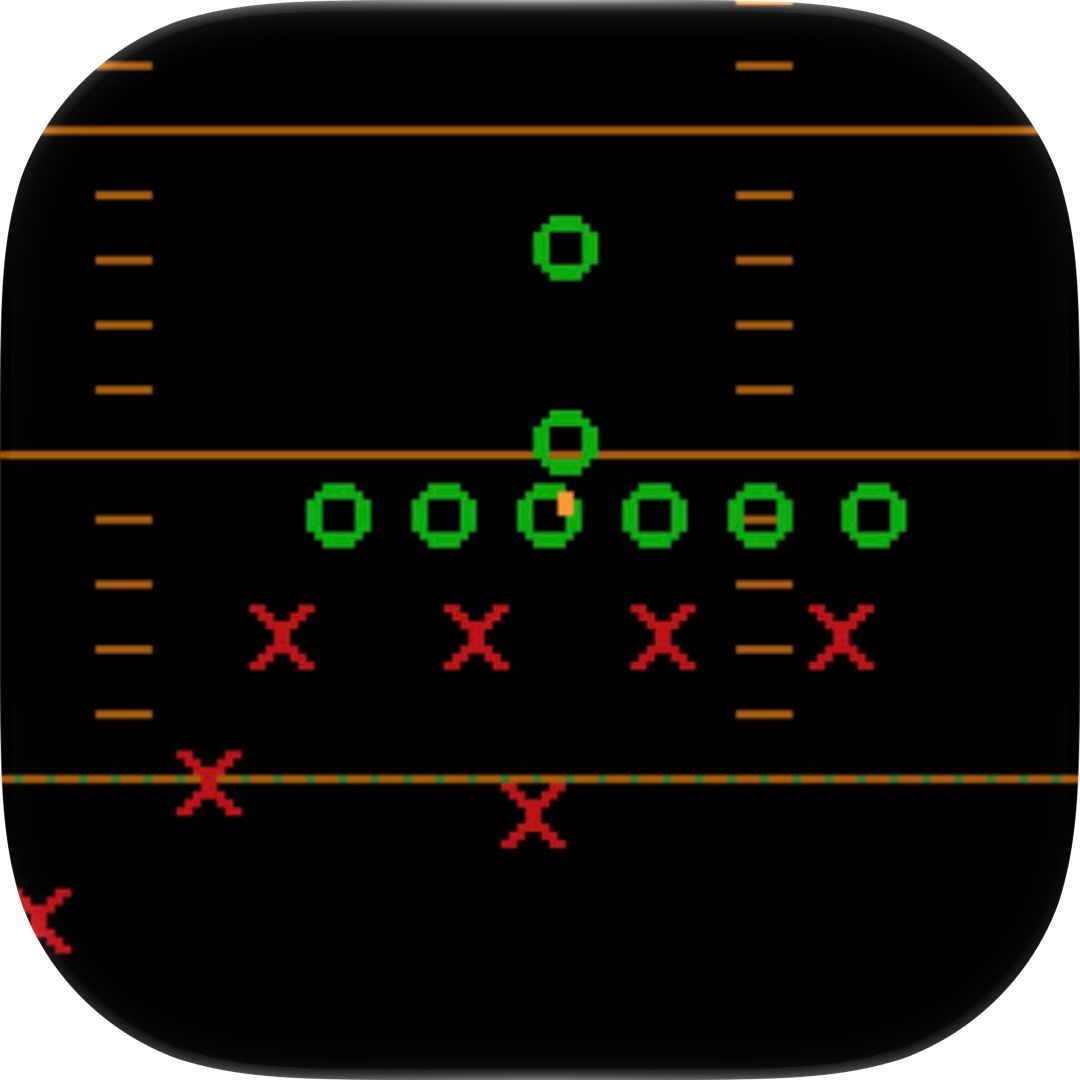
XOR's NFL Challenge, also shown as Gridiron Challenge, is an iOS remake of a 1989 DOS American football game that uses X's and O's to diagram every play. It brings the 16-color look and play-calling rhythm of the original to modern devices. The game is currently available as a beta through Apple's TestFlight.
From the developer
In the developer’s own words, from testflight.apple.com.
As a kid I loved this DOS game. But I really thought the X's and O's needed numbers. So I spent countless hours trying to navigate through the compiled code trying to do it. I've often credited my interest in programming to those nights and days, waking up with the green and red lines baked into my eyeballs. Last night it took only 3 prompts. Just press "Display" from the menu. I made only one change to the code from there, making sure "Inside Charge" was a play you could call on defense. That was the go-to play. Now my 9 year-old self can go outside and touch grass, while the present day me needs to get back to work!
Editor takes

“A quick pick-up-and-play football sim for your phone, but the barebones 1989 presentation will only click if you actually lived those DOS nights.”

“Menu-driven play-calling means the only twitch skill is quick reading of X's and O's — a patient strategist's game, not a speedrunner's.”

“The 16-color palette and chunky X/O sprites are a faithful time capsule, yet the silent, static field makes it feel more like a screenshot than a game.”
How to play
You call plays on offense and defense, then watch the X's and O's move down the field as the play unfolds. From the main menu, press Display to see the field and play layout before choosing your next call. On defense, Inside Charge is available as a standard go-to play.
Tips
- Press Display from the menu to review the field and how the X's and O's line up before calling a play.
- Use Inside Charge on defense; it was the original developer's go-to play and is a reliable base call.
- Spend a few possessions just watching the playback to learn how each play develops.
- If a play doesn't work, try changing your formation or down-and-distance approach instead of reusing the same call.
Questions
Is the game free to play?
The beta is free via TestFlight. In-app purchases are free during testing, though they do not carry over to a future App Store release.
How do I get the beta?
Install TestFlight from the App Store, then open the public TestFlight link on your iPhone or iPad and accept the invitation.
Does it work on Android?
No, the beta is iOS-only and requires an iPhone or iPad running iOS 16 or later.
How long does the beta stay active?
Each build is available to test for up to 90 days from the day the developer uploads it. After that, you'll need a newer build or an App Store release.

Comments 0
Log in to comment
No comments yet. Share a tip, a bug or your best moment.