What it is
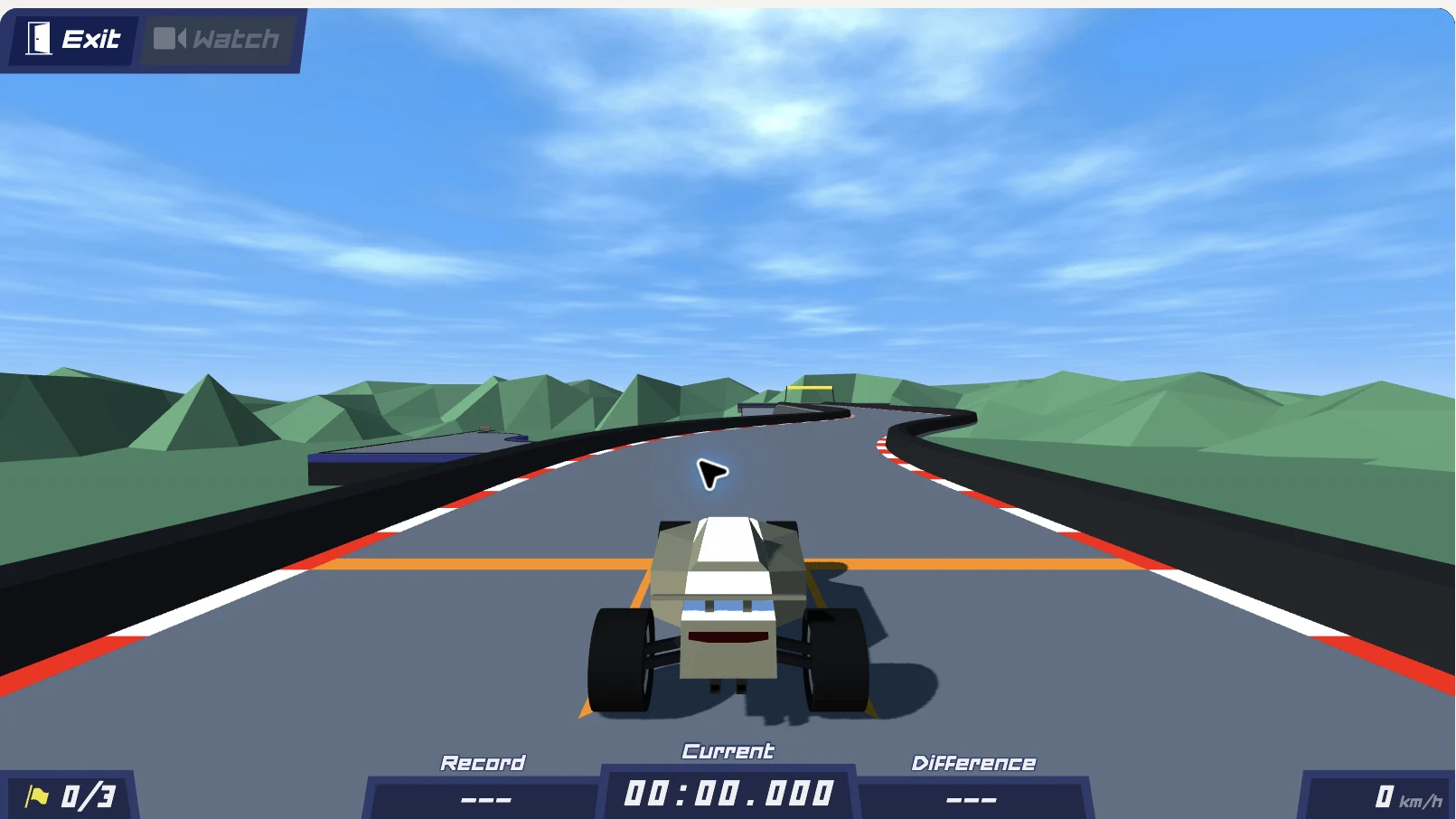
PolyTrack is a low-poly time-trial racing game by Kodub. You drive short courses, learn their turns, and try to put together a faster run. This online version offers both the latest 0.6.3 build and the classic 0.5.0, with official and community tracks to choose from.
From the developer
In the developer’s own words, from thepolytrack.com.
Play PolyTrack 0.6.3 online or switch to the classic 0.5.0. Browse tracks, import community codes and get help if PolyTrack unblocked won't load.
Editor takes

“The bite-sized checkpoint courses are tailor-made for a quick lunch-break session, but the keyboard-only controls and lack of any save system mean you'll need to be at a desk, not on the couch.”

“Instant checkpoint resets and a clean restart button give the time-trial loop real speedrun flow, yet the simple low-poly geometry leaves the challenge entirely in your own line rather than in any demanding hitbox work.”
How to play
Select Play, then choose a track from the Play menu. Drive using W/↑ to accelerate, S/↓ to brake, and A/D or ←/→ to steer. Use R/Enter to reset to a checkpoint and T/Backspace to restart from the beginning.
Tips
- Start with Summer 1, a good introductory track.
- Release the accelerator or brake before a turn when you need more control.
- Use R to instantly retry a section and learn where the track changes direction.
- Compare your own runs to find a cleaner line through each course.
- If you have a code, make sure it matches the version you are playing: 0.6 codes only import in 0.6.3.
Questions
Is PolyTrack free to play?
Yes, the game is playable online in the browser from this page.
What is the difference between 0.6.3 and 0.5.0?
0.6.3 is the latest version and is loaded by default; 0.5.0 is the classic version. You can switch between them with the buttons under the player.
How do I import a track code?
Copy the code and follow the import guide. Note that copying a code does not load it into the game, and codes made in 0.6 only import in 0.6.3.
Why won't the game load?
The first launch can take a little longer. If the game says another instance is open, close that game window first, then use Reload game to try again.
Can I change the game language?
Yes, the language option is in Settings → Language → Apply. English, French, Spanish, and Korean are available.

Comments 0
Log in to comment
No comments yet. Share a tip, a bug or your best moment.